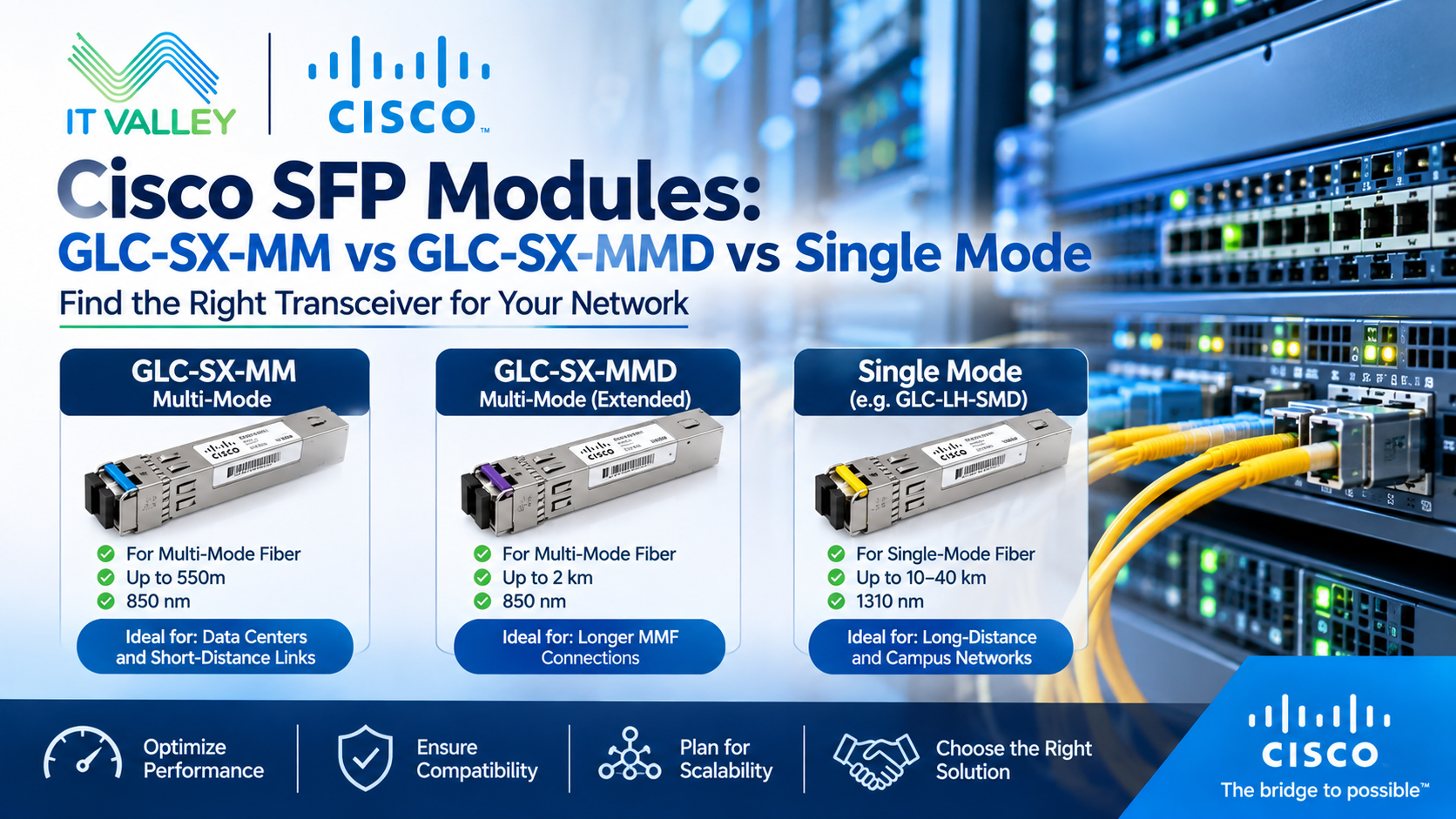
Cisco SFP Modules: GLC-SX-MM vs GLC-SX-MMD vs Single Mode
Cisco SFP modules look simple on a quote, and then the link light stays dark. Usually the module isn’t faulty. It simply doesn’t match the fibre in the wall, the distance, or the port it was plugged into. This guide compares the three choices UAE IT teams ask about most: GLC-SX-MM, GLC-SX-MMD and the single-mode options. It shows how to choose between them and which mistakes to avoid. The technical figures come from Cisco’s own SFP data sheet. It comes from IT Valley, a Cisco partner with a Dubai office.
What a Cisco SFP module does
An SFP (small form-factor pluggable) is a hot-swappable transceiver that plugs into a Gigabit Ethernet port. According to Cisco’s SFP data sheet, you can mix 1000BASE-T, SX, LX/LH, EX, ZX and BX modules port by port on the same switch. That flexibility is useful, but it also means each link needs its own check: fibre type, distance and module type must all agree.
GLC-SX-MM vs GLC-SX-MMD: what’s the difference?
Both are 1000BASE-SX modules. They transmit at 850 nm over multimode fibre and use a dual LC connector. The practical difference is the “D”.
GLC-SX-MMD adds Digital Optical Monitoring (DOM). DOM lets you read the optical power, temperature, laser bias current and supply voltage in real time, which helps you spot a failing link before it drops. Cisco’s data sheet also lists the MMD with an extended temperature range of -5°C to 85°C.
Here is a detail that surprises many buyers. Cisco’s current ordering table lists GLC-SX-MMD for 1000BASE-SX, not GLC-SX-MM. The older GLC-SX-MM still appears in earlier compatibility documents. So if a quote offers GLC-SX-MM, ask whether it’s genuine Cisco stock, an older part or a third-party equivalent.
What distance can you expect? It depends on the fibre. Per Cisco:
62.5 µm FDDI-grade: 220 m
62.5 µm OM1: 275 m
50 µm 400/400: 500 m
50 µm OM2: 550 m
50 µm OM3, OM4 and OM5: up to 1,000 m
Those are maximums under specification. Your total channel loss, including connectors and splices, must also stay within the limit. For OM3 and above, Cisco lists 5 dB, so a patch panel and several connectors can use up the budget quickly.
Cisco single-mode SFP modules
When you need more than a few hundred metres, or the building uses single-mode fibre, you move to the long-wavelength modules:
GLC-LH-SMD (1000BASE-LX/LH): 1310 nm, up to 10 km on single-mode fibre. It also works over multimode fibre up to 550 m, but Cisco says a mode-conditioning patch cord is required for that use.
GLC-EX-SMD (1000BASE-EX): up to 40 km. For back-to-back links, Cisco says to insert a 5 dB attenuator between the fibre and the receiver.
GLC-ZX-SMD (1000BASE-ZX): around 70 km, with a 21 dB link budget. On shorter spans, Cisco calls for a 10 dB attenuator if the span loss is under 8 dB, so the receiver isn’t overloaded.
GLC-BX-D and GLC-BX-U (1000BASE-BX10): single-fibre bidirectional modules, up to 10 km. The D module transmits at 1490 nm and receives at 1310 nm, and the U module does the opposite. They always work as a pair, so you can’t connect D to D.
Cisco also lists longer BX40 and BX80 industrial modules for 40 km and 80 km single-fibre links. Check the exact part numbers against your platform before you order.
How to choose the right module
Work through these questions in order:
Identify the fibre. Is it multimode or single-mode? If multimode, which grade: OM1, OM2, OM3 or OM4?
Measure the distance and loss. Include patch cords, panels and splices.
Match both ends. Both sides of a link need the same standard, such as SX to SX.
Check the port. SFP-1G-SX and SFP-1G-LH work only in 10G-capable ports. Cisco says they won’t operate in 1G-only ports.
Check the environment. Cisco lists commercial (0 to 70°C), extended and industrial temperature ranges.
Decide whether you need DOM. For critical uplinks, monitoring pays for itself.
Confirm compatibility. Use Cisco’s Optics-to-Device Compatibility Matrix to see which modules are qualified for your switch or router.
Common mistakes to avoid
Using a multimode module on single-mode fibre, or the other way round. The link won’t come up.
Ignoring mode conditioning. LX/LH over multimode fibre needs a mode-conditioning patch cord.
Skipping attenuators. Short single-mode runs with EX or ZX modules can overload the receiver.
Using APC patch cords. Cisco says only PC or UPC connectors are supported for these SFPs, not APC.
Pairing BX modules wrongly. A D module must connect to a U module.
Forgetting cleanliness. Dirty LC connectors cause many “faulty module” tickets.
Counting only distance. Loss decides whether a link works, not just length.
Compatibility, warranty and genuine optics
Cisco’s data sheet lists a standard five-year warranty for these SFPs. That’s one reason many companies prefer genuine optics for core links. Third-party modules can work in some platforms, but support terms and compatibility vary, so ask your supplier to state clearly what you’re buying. Keep the serial numbers and invoice, and record each module’s location so replacement is quick.
Optics also matter when you add servers. If you’re connecting new hosts, see our guides to Dell infrastructure solutions in the UAE and Dell servers in Dubai, then check the server and switch ports for module support before ordering. For switching choices, read our guide to Cisco Catalyst switches in the UAE. The earlier Cisco GLC-SX-MM guide for Dubai covers that module in more detail.
Working with IT Valley
IT Valley is a Cisco partner and a regional system integrator with about two decades of operations and offices in Egypt, the UAE, Saudi Arabia and the UK. Our UAE network services team helps you survey your fibre, choose the right Cisco SFP modules, check compatibility and plan the rollout.
Request a Cisco SFP Quote for Your UAE Network
Ordering the wrong optics wastes time, and the delay usually lands on a project deadline. Before you order, send IT Valley the details and we’ll check them with you.
Send us three things:
The switch, router or server models at both ends of each link.
The fibre type and distance: multimode or single-mode, OM grade if known, and the route length.
The quantity and timeline for delivery in the UAE.
You’ll get a clear recommendation on module types and part numbers, plus an itemised quote with VAT, so you can compare it line by line.